Instagram Line Break Generator
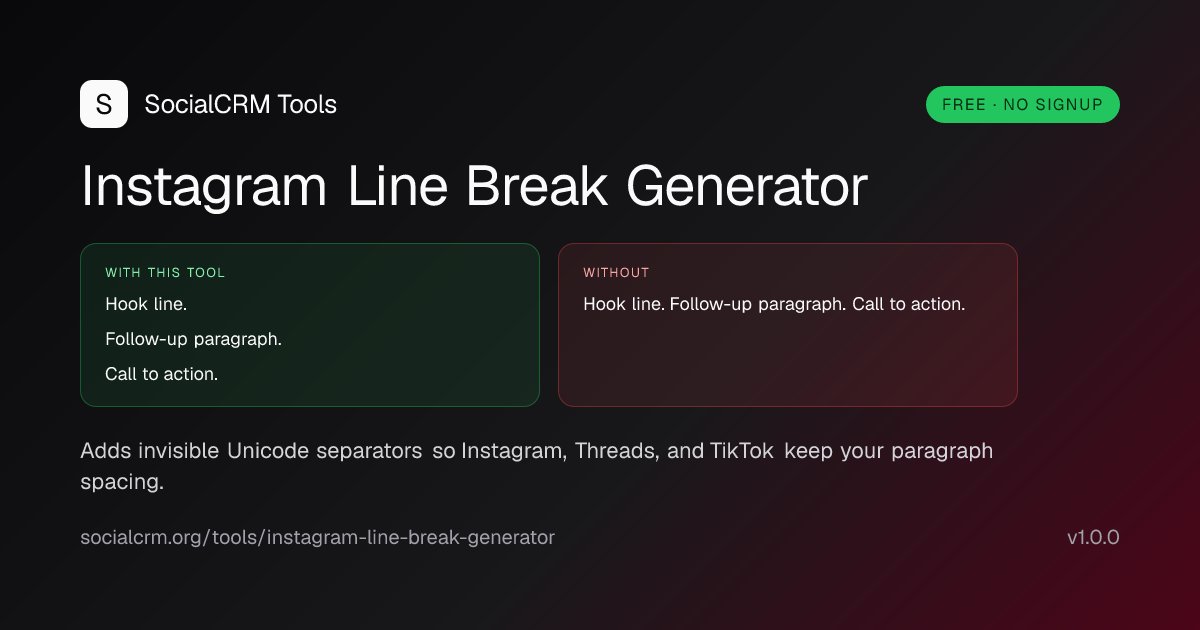
Free Instagram line break generator. Adds invisible characters to keep paragraph spacing in captions, bios, and comments. Copy ready text. No signup.
- Keep paragraph spacing in captions Instagram would otherwise collapse.
- Add visible line breaks inside an Instagram bio's 150-character limit.
- Stack hashtag groups below a caption without them merging into one block.
- Preserve list spacing in comments and Threads cross-posts.
Use Enter wherever you want a paragraph break, including the empty lines between paragraphs.
Single break
One invisible-padded blank line between paragraphs.
Show all three styles side by side
Double break
An extra blank line, doubled spacing.
Paragraph spacing
Three extra blank lines for heavy whitespace.
Empty lines are padded with U+2063 (Invisible Separator) so Instagram, Threads, TikTok, Facebook, LinkedIn, and Discord preserve the spacing on paste. Your text runs in this browser only and is never sent to a server.
What is an Instagram line break generator?
An Instagram line break generator pads each empty line in your caption or bio with an invisible Unicode character so Instagram stops collapsing your paragraph spacing. It is a one-line technical fix to a known platform behaviour: Instagram trims trailing whitespace per line and merges consecutive blank lines into one, which is why your three-paragraph caption posts as a wall of text.
How Instagram actually handles line breaks
On every caption, bio, and comment, Instagram runs two normalisation steps before saving the text. Both are invisible to users and undocumented, but reproducible.
- Trailing whitespace is trimmed line by line. Spaces, tabs, and zero-width spaces at the end of any line are removed before save.
- Empty lines are collapsed. Two or more consecutive blank lines fold down to a single paragraph break, then to nothing if the surrounding lines also collapse.
- Invisible Unicode separators count as content. U+2063 (Invisible Separator) and U+2800 (Braille blank) both survive the trim. The line is not empty, so Instagram does not collapse it.
- The fix is invisible to readers. Screen readers and Instagram's search both ignore the padding character, so accessibility and discoverability are unaffected.
How to use the Instagram line break generator
- Paste your caption or bio. Type or paste the draft into the input. Use a regular Enter key everywhere you want a paragraph break, including the empty lines between paragraphs.
- Pick a spacing style. Single fills empty lines with one invisible character. Double adds an extra blank padded line. Paragraph adds three extra lines for heavy whitespace.
- Copy the padded result. Click Copy on the output. The text now contains invisible Unicode separators that Instagram, Threads, and TikTok will not strip.
- Paste into Instagram. Paste straight into the caption, bio, or comment field. The line breaks render exactly as you laid them out.
Why use our line break generator
- Three spacing variants. Single, double, and paragraph styles let you pick the spacing density that suits the layout, instead of a one-size output.
- Standard Unicode, not hacks. Output uses U+2063 - the same separator Instagram, Threads, TikTok, Facebook, LinkedIn, and Discord preserve.
- Permalink for handoff. The text and style serialise into the URL so you can share a ready draft with a teammate without it ever hitting a backend.
- No data leaves your browser. The padding logic is client-side. Drafts are not stored, sent, or logged.
- Cross-platform. The same output works in Threads, TikTok bios, LinkedIn posts, and Discord messages without modification.
Examples: real captions, real spacing
Stopped chasing trends.

Started studying my best three posts each month.

Engagement up 40% in 90 days. Same hours.
Instagram would render this as one block. Pasting through this tool keeps the three paragraphs separated.
Solo founder, 4-year overnight success
Building in public 5 days/week
DMs open ↓
Bios cap at 150 characters. The three padded lines add 2 characters total; the layout reads cleanly on every device.
The hook.

Body of the caption with the meat of the post.

#tag1 #tag2 #tag3
#tag4 #tag5 #tag6
Hashtag groups stay below the caption instead of merging inline with the body copy.
Best practices for Instagram line breaks
- One thought per paragraph. Use line breaks to separate ideas, not to inflate length. Three short paragraphs out-perform one long block on dwell time.
- Lead with the hook on its own line. Captions truncate at the "more" cut on mobile around 125 characters; the hook deserves the first paragraph alone.
- Keep bios at single-break density. 150-character caps make double or paragraph spacing wasteful in bios. Use single in bios, double in long captions, paragraph for sales-letter posts.
- Paste from desktop when possible. Some iOS keyboards strip whitespace on paste; the Instagram web composer is the most reliable surface.
- Schedule with line breaks intact. Most schedulers strip invisible characters during draft sync. SocialCRM preserves them by storing the raw payload.
Frequently asked questions
Why does Instagram remove my line breaks?
Instagram trims trailing whitespace on every line and collapses multiple empty lines down to one. The result is your three-paragraph caption posted as a single wall of text. Pasting an invisible Unicode character on each empty line bypasses the trim because the line is no longer technically blank.
Does the line break generator work in bios?
Yes. Instagram bios apply the same whitespace rules as captions. The output of this tool keeps spacing intact, but remember that bios cap at 150 characters and the invisible characters count toward the limit.
Is the line break generator safe to use?
Yes. The tool runs entirely in your browser and inserts standard Unicode invisible separators (U+2063 and U+2800), the same characters Instagram itself preserves on official surfaces. Your account is never touched, no API call is made, and your text never leaves the page.
Will the invisible characters show up on other apps?
Threads, TikTok, Facebook, LinkedIn, and Discord all preserve the same invisible characters. The output works as a generic 'line break preserver' across most modern social platforms. Twitter/X handles line breaks correctly without any padding.
Do invisible characters count toward the caption limit?
Yes, but the impact is small. Each padded empty line adds one character. A caption with 5 paragraph breaks adds 5 characters to your 2,200-character cap.
Why does my caption still look wrong after pasting?
Make sure you copied from the output box, not the input. Some keyboards on iOS strip whitespace when pasting; if that happens, retype the line breaks manually after pasting the padded text, or paste into the Instagram website on desktop.
Related reading
- Instagram search queries optimization - how Instagram parses your caption text and why padding characters do not break keyword matching.