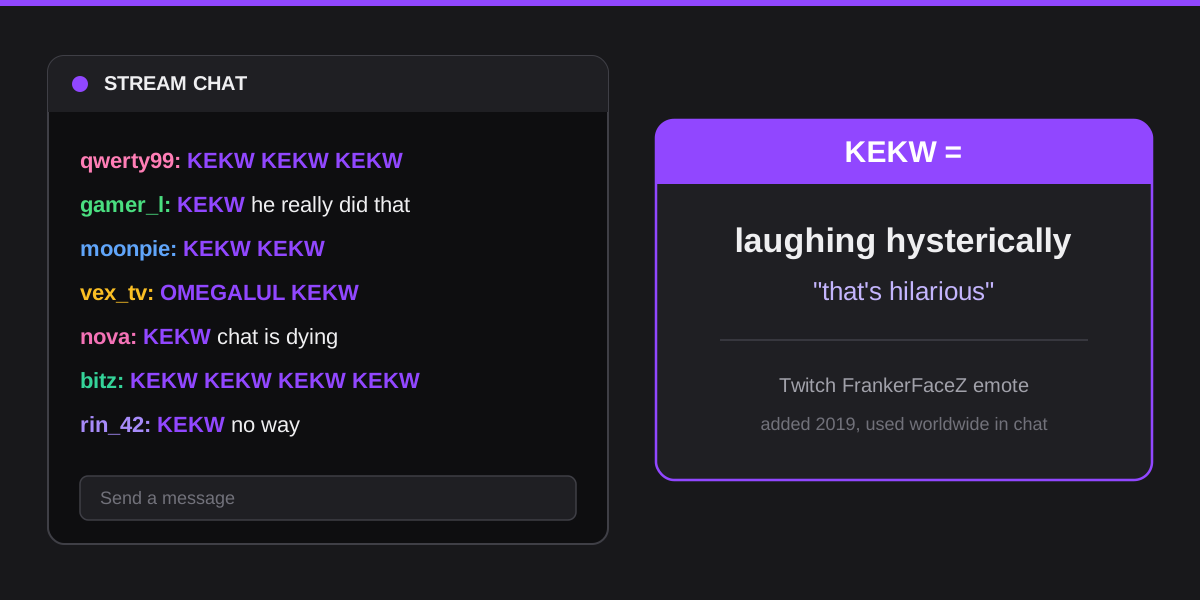
The short answer: KEKW is a Twitch chat emote that means laughing hysterically. People drop it the moment something on stream is funny, like a clip, a fail, or a clean roast. The emote shows the wide-open laughing face of Spanish comedian Juan Joya Borja, better known as El Risitas. It started on Twitch through the FrankerFaceZ extension in 2019 and quickly became one of the most-spammed emotes in chat. Today you will also see KEKW in Discord servers, on Reddit, and in plain text anywhere people want to say that something is hilarious.
What KEKW stands for
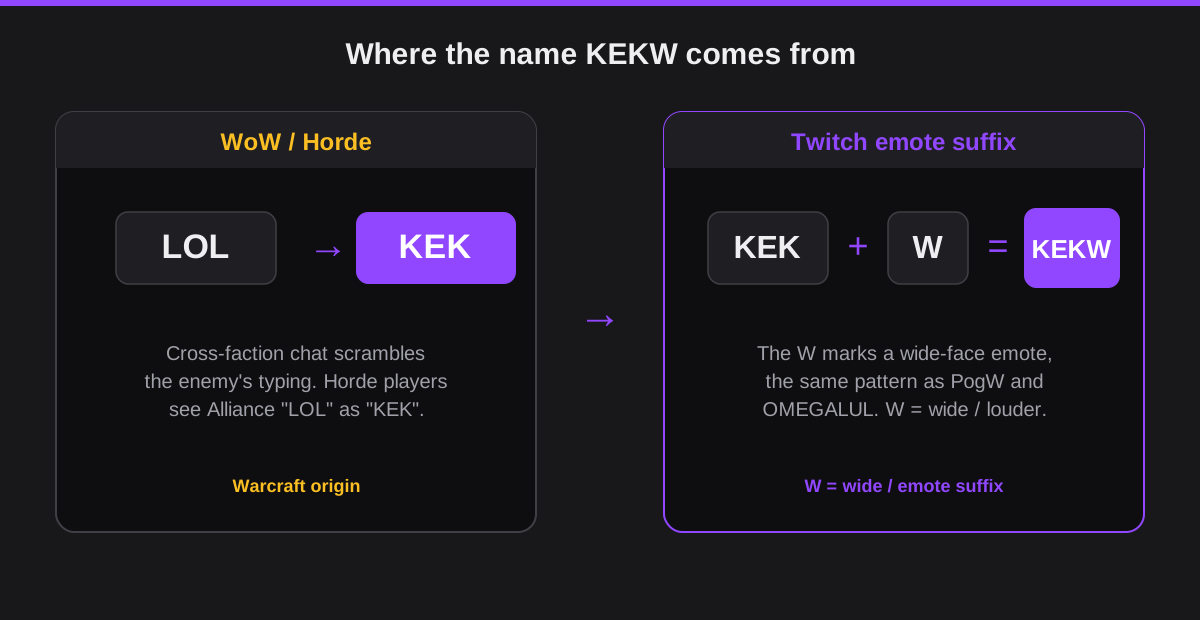
KEKW is not an acronym. It does not break down into a phrase the way LOL or BRB does. Instead it is a compound emote name built from two separate pieces of online culture. The first piece, KEK, comes from gaming. The second piece, the W on the end, is a naming convention that streaming communities use for a whole family of emotes.
Put simply, KEK already meant laughter before Twitch existed, and the W signals a wide, open-mouthed version of that laughter. Stitch the two together and you get a word that reads as a big, loud laugh. The image attached to it, a man mid-laugh with his mouth wide open, makes the meaning obvious even to people who have never set foot in a Twitch chat.
The WoW KEK origin explained
KEK comes from World of Warcraft. In the game, the two main factions, the Alliance and the Horde, cannot read each other's chat directly. The game scrambles cross-faction messages through a fake language filter. When an Alliance player typed LOL, a Horde player saw it rendered as KEK. Over years of play, KEK became a well-known stand-in for LOL among gamers, long before the KEKW emote arrived. That gaming history is why KEKW still feels native to streaming and gaming culture rather than to general texting slang.
What does KEKW mean in Twitch chat?
In Twitch chat, KEKW means that something is very funny right now. It is a live laugh reaction, fired off in the same moment the joke or fail happens on stream. Viewers spam it together so the streamer sees a wall of laughter scroll past. It works like a studio audience laughing in real time, except the audience is thousands of people typing the same four letters at once.
When chat spams KEKW
Chat reaches for KEKW during the predictable funny beats of a stream. A streamer dies to a boss they trash-talked seconds earlier. A donation message reads something absurd out loud. A guest gets roasted and has no comeback. An unexpected sound or jump-scare catches everyone off guard. In all these moments the emote count spikes, and the spam itself becomes part of the fun.
KEKW as a reaction vs as spam
There is a difference between a single sincere KEKW and a wall of it. One KEKW with a short comment, like "KEKW he really said that," reads as a genuine laugh from one viewer. A solid column of KEKW from hundreds of people reads as a crowd reaction, a hype moment for the whole channel. Both are valid. The mistake is copy-pasting twenty KEKW yourself, which adds noise without adding a real laugh.
The El Risitas face behind KEKW
The face in the KEKW emote belongs to Juan Joya Borja, a Spanish comedian and actor known by his stage nickname El Risitas, which roughly means "the giggles." He built a career around one unmistakable trait: a wheezing, contagious, almost uncontrollable laugh that made everyone around him laugh too.
His most famous clip comes from a 2007 Spanish television interview in which he tells a rambling story about a botched kitchen job and a stack of paella pans, dissolving into hysterics the whole time. The clip spread far beyond Spain, getting recut into countless fake-subtitle videos, and the image of his wide-open laughing face became a global laughter meme years before Twitch ever cropped it into an emote.
Juan Joya Borja passed away on April 28, 2021. When the news broke, many streamers and viewers paid tribute the way the internet knew him best, by filling chats with the very emote his face had become. It was a strange, fitting send-off for a man whose laugh had already made millions of strangers laugh along.
Why FrankerFaceZ KEKW took off in 2019
FrankerFaceZ is a free browser extension that adds custom emotes to Twitch on top of the platform's built-in set. KEKW was added to FrankerFaceZ in 2019, and it caught on fast. Twitch already had laugh emotes like LUL, but KEKW had a louder, more chaotic energy that fit the way chat actually reacts to funny moments. Within months it was one of the most-used emotes on the platform. You can see its usage scale on third-party trackers like TwitchTracker, which logs emote and channel stats across the site.
KEKW vs LUL, OMEGALUL, KEK, and other laugh emotes
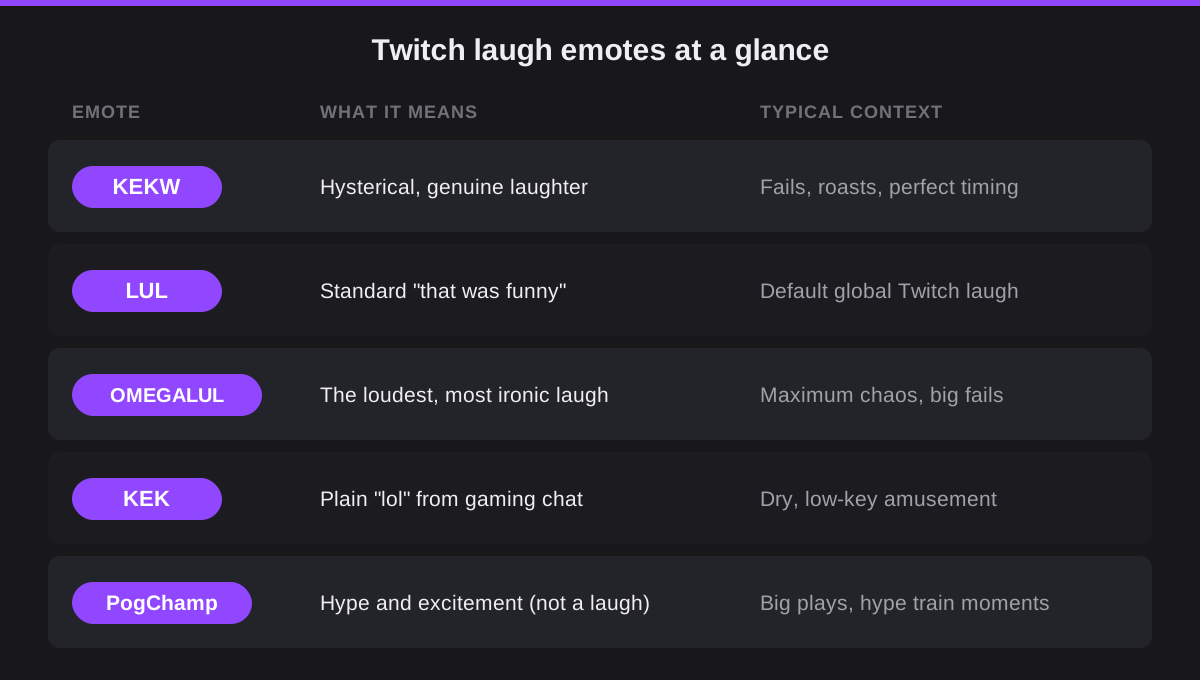
KEKW shares a chat with several other laugh emotes, and viewers pick between them on instinct. Each one carries a slightly different volume and tone. The table below maps the five you are most likely to see scroll past during a stream.
| Emote | What it means | Default or add-on | Typical context |
|---|---|---|---|
| KEKW | Genuine hysterical laughter | FrankerFaceZ / BTTV | Funny clips, fails, roasts |
| LUL | A standard "lol" laugh | Twitch global default | Everyday chuckles, no extension needed |
| OMEGALUL | The loudest, most ironic laugh | FrankerFaceZ / BTTV | Peak chaos or peak cringe |
| KEK | Plain "lol" (WoW root) | Plain text | Typed without the face image |
| PogChamp | Hype and excitement, not laughs | Twitch / add-on variants | Big plays, hype-train moments |
When to use KEKW vs OMEGALUL
KEKW is genuine laughter. You use it when something is honestly funny and you want to laugh along with chat. OMEGALUL is the loudest, most ironic version, the one chat reaches for when something is so bad it loops back around to funny, or when the whole channel is dunking on a moment together. Chat regulars pick up the nuance fast: KEKW says "that got me," while OMEGALUL says "this is peak comedy" with a wink. New viewers can use either and still be understood.
KEKW beyond Twitch: Discord, Reddit, and meme culture
KEKW did not stay locked inside Twitch. Like most strong emotes, it leaked out into the wider internet and kept its meaning along the way. Today you will run into it in three main places outside of a stream.
On Discord, server admins add KEKW as a custom emoji so members can react to messages with the laughing face directly. In servers built around gaming, streaming, or a specific creator, it is often one of the most-clicked reactions. If you spend time in those communities, you will see KEKW used the same way it is used on Twitch, just on a smaller, more private stage.
On Reddit and in general meme culture, KEKW shows up both as plain text in comments and as an image macro pasted into reaction threads. Most people who recognise the face do not need it explained. It simply reads as "that's hilarious," the same as a crying-laughing emoji would. That portability is what turned it from a niche Twitch emote into broadly understood internet slang. Surveys of online life, like this Pew Research report on digital knowledge, show how unevenly this kind of platform-native culture spreads across different age groups.
How to use KEKW without looking like a lurker
Using KEKW well is mostly about timing and restraint. The emote lands when it matches a real funny beat and reads as forced when you fire it at everything. If you want chat to take your laugh as genuine, follow the steps below.
- Wait for an actual funny moment. KEKW means something is hilarious. Dropping it during a calm stretch reads as either spam or confusion, so let the joke land first.
- Pair one KEKW with a real comment. "KEKW that ending" beats forty copies of KEKW in a row. A single emote plus a few words reads like a person laughing, not a bot.
- Match the channel's energy. Small chats want conversation, so one KEKW is plenty. In huge chats, the spam itself is the point, so joining the wall is fine.
- Skip it on serious moments. If a streamer opens up about something heavy, KEKW reads as cruel. Read the room before you react.
Platform by platform, the rule shifts slightly. On Twitch, the spam wall is part of the culture. On Discord, a single KEKW reaction is enough, since clicking it forty times looks odd. On Reddit, treat it like any other reaction word and let the comment carry the joke. If you are a creator trying to read which slang your own audience actually uses, the SocialCRM composer learns from your past posts so your voice stays grounded in what your followers already say back to you.
If you are still decoding the wider world of platform slang, our explainers on what WYLL means in texting and the YNS meaning in chat cover two of the most-searched terms people hit right after KEKW. For the emoji shorthand that powers TikTok comment sections, our guide to hidden TikTok emoji codes is the natural next read.
FAQ
What does KEKW mean?
KEKW is a Twitch chat emote used to express hysterical laughter or to react to something funny. The name combines KEK (the Horde faction's version of LOL in World of Warcraft) with W, the wide-face emote suffix used across Twitch. It reads as a big, loud laugh.
Who is the person in the KEKW emote?
The KEKW emote shows the face of Juan Joya Borja, a Spanish comedian nicknamed El Risitas for his infectious laugh. His clip from a 2007 Spanish TV interview went viral worldwide as a laughter meme, and the image was later turned into a FrankerFaceZ Twitch emote in 2019. You can read more on the Urban Dictionary entry for KEKW.
Is KEKW a default Twitch emote?
No. KEKW is a third-party emote available through FrankerFaceZ (FFZ) and BetterTTV (BTTV), both free browser extensions. Without one of those extensions installed, KEKW shows as plain text in chat instead of the face image.
What is the difference between KEKW and LUL?
LUL is the Twitch global emote showing John Bain (TotalBiscuit) laughing. It is a default emote visible without extensions. KEKW requires FrankerFaceZ or BTTV and is considered more expressive, since the wide-open mouth conveys louder laughter. LUL is polished; KEKW is chaotic.
What does KEKW mean in Discord?
In Discord servers with the KEKW custom emoji added, it carries the same meaning as on Twitch: something is very funny. Without the emoji file, users type KEKW as plain text and most Discord users familiar with Twitch culture still read it as a laughing reaction.
Can I use KEKW outside of gaming?
Yes. KEKW has spread beyond gaming and Twitch into general internet culture. Anyone who has spent time in Discord servers, Reddit, or Twitch-adjacent communities will recognise it as a laughing reaction even outside a gaming context. It fits wherever you would use a laughing emoji.
TL;DR
- KEKW is a Twitch chat emote that means laughing hysterically, used to react to anything genuinely funny.
- The name is a mashup: KEK from World of Warcraft (the Horde version of LOL) plus the W wide-face emote suffix.
- The face is El Risitas, Spanish comedian Juan Joya Borja, whose 2007 laughing clip became a global meme. He passed away in April 2021.
- It is a FrankerFaceZ and BTTV add-on emote, not a Twitch default, and it sits alongside LUL, OMEGALUL, and KEK.
- One sincere KEKW with a comment beats a wall of spam, and it now works on Discord, Reddit, and the wider internet too.