The short answer: to hide your followers on Instagram in 2026, switch the account to Private so only approved followers can open your follower list, then use Remove Follower, Restrict, or Block to deal with specific accounts you do not want there. Instagram does not have a single toggle that hides the follower count itself from your profile, so the follower number stays visible on a public account. The list of accounts is what you actually control.
How to hide your Instagram followers list with a Private account
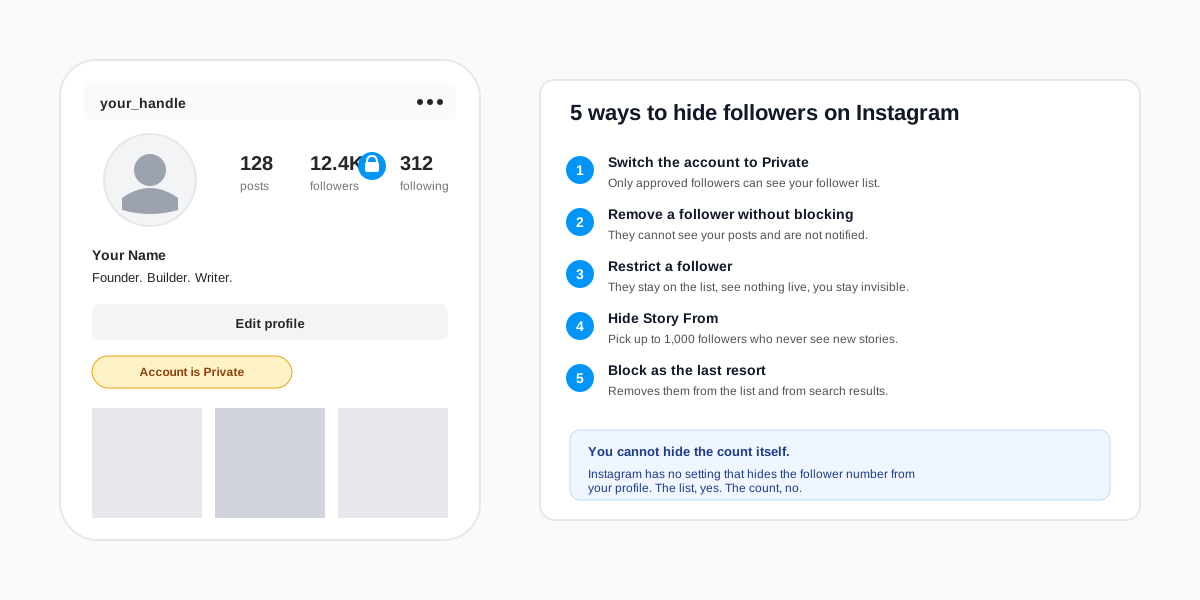
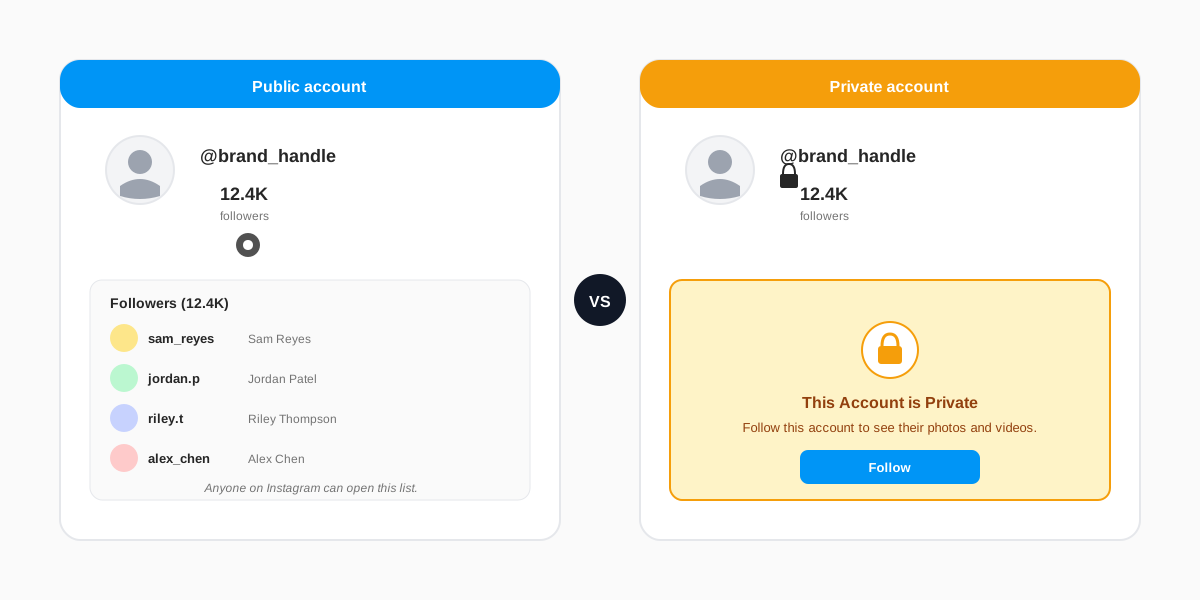
Switching to Private is the only Instagram setting that hides your entire follower list in one tap. Once the account is Private, anyone who is not already a follower sees a locked profile with a banner reading This Account is Private and cannot open the followers or following panels. The follower count stays visible above the lock, but the names disappear.
The four-tap path on mobile
- Tap your profile picture in the bottom tab bar, then the menu icon in the top-right corner.
- Tap Settings and privacy. The first row inside the menu.
- Tap Account privacy. About six rows down, under the Who can see your content section.
- Toggle Private account on, then confirm in the dialog. The change is instant.
Existing followers stay followers, and they keep seeing your list as normal. New visitors lose access to your posts, stories, reels, follower list, following list, and tagged photos until you approve their follow request. The Instagram Help Center page on private accounts documents the change in detail and confirms the follower list lock as part of the Private switch.
How to remove individual followers without blocking them
Private is overkill if you only want one or two accounts gone from your follower list. Instagram ships a quiet Remove Follower action that does exactly that. The removed account is not notified, your profile stays public, and your other followers see no change. The removed account can still find your profile, view your posts as a logged-out visitor would, and re-follow you if they notice the change.
Where the Remove option lives
- Open your profile and tap the Followers count to open the follower list.
- Find the account using the search bar at the top of the list, or scroll until you spot the row.
- Tap Remove next to the name. The confirmation modal asks you to confirm. Tap Remove again. The row disappears from the list and the follower count drops by one.
Remove Follower is the right call when an old colleague, an ex, or a random spammer keeps showing up in your Stories viewer list and you would rather not see them there. It is the lightest action in the privacy menu. Restrict and Block are heavier, and worth it only when the same account keeps coming back or starts harassing you. We cover those in the next section.
How to hide your followers from specific people
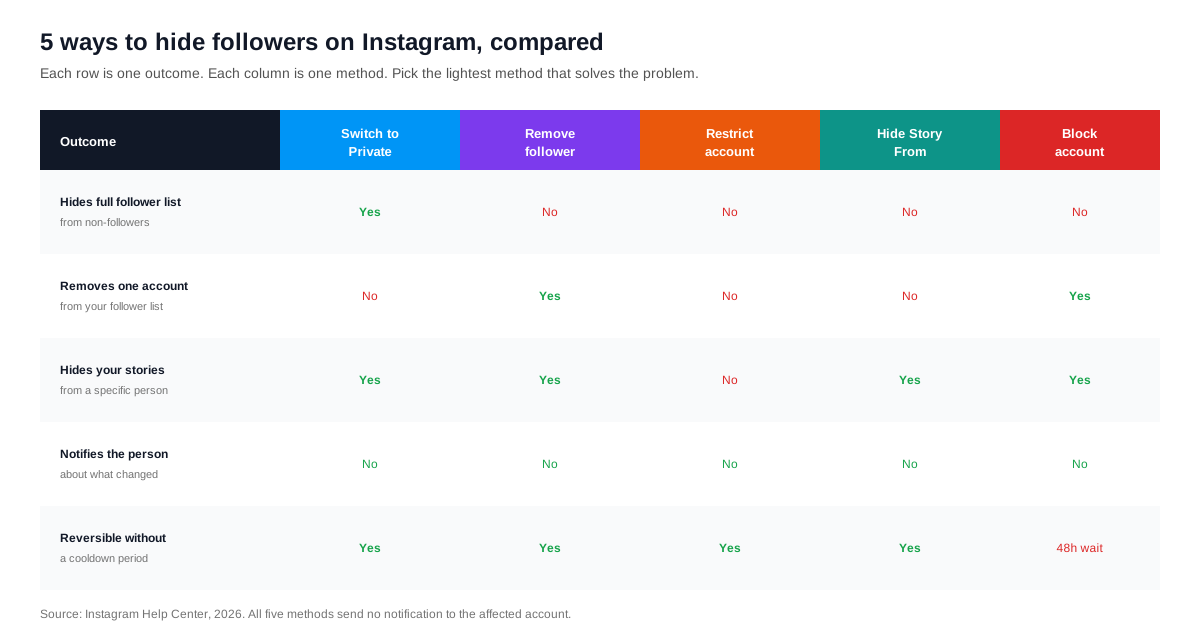
Sometimes the goal is not removing a follower from your list, but hiding what you post from them. Instagram has two settings for that case: Restrict and Hide Story From. Both are silent, neither shows up in the affected account's notification feed, and both flip back instantly.
Restrict is the better choice when you cannot afford to unfollow someone outright (a colleague, a family member, a client). Open their profile, tap the three-dot menu in the top-right, then tap Restrict. From that moment, their comments on your posts are hidden from everyone except them, their direct messages land in a separate Requests folder, and they cannot see when you are online. They stay on your follower list, but they go quiet inside your feed. Meta's own announcement of the feature in the original Restrict launch post confirms the silent-by-design behaviour.
Hide Story From handles a narrower case: you want to keep posting Stories normally but want a specific list of followers to never see them. Open Settings and privacy, tap Story, then Hide Story and Live From, then tick the accounts to hide from. Instagram supports up to 1,000 accounts in this list. The hidden accounts keep seeing your grid posts, reels, and profile as usual; only the ephemeral Story and Live surfaces are hidden.
Why you cannot hide the follower count itself on Instagram
Instagram exposes the follower count, the following count, and the post count on every profile, public or private, and there is no setting that hides them. Many How-to articles online claim a setting exists; it does not. The only count Instagram ever let you hide is the like and view count on individual posts, which was launched as part of the well-being update covered in this Meta announcement on hiding like counts. That toggle hides the like count on a post you publish. It does nothing to the follower number on your profile.
If you genuinely need the count to disappear from public view, the only working approach is to switch to a Business or Creator account and then use a personal-style header image that visually frames the profile differently. The digits stay there. We have not seen any 2026 workaround that hides them without breaking the profile entirely. The cleanest fix is the one nobody wants to hear: care less about the number, and treat your follower list as the asset instead.
Hide following list vs hide followers list: the key difference
Hide the followers list and hide the following list are often blurred together in search queries, and the privacy implications are not the same. The followers list is people who follow you. The following list is people you follow. Private hides both at once. The per-account controls (Remove, Restrict, Block) only affect the followers side, because the following side is your own choice.
To hide the following list specifically, you have three options. First, switch the account to Private (the nuclear option). Second, audit and unfollow the accounts you do not want to be seen following, which keeps the account public. Third, hide individual followers from seeing your following list using the same Hide From controls covered above. None of these methods let you keep the list populated while hiding it from public view on a public account. The only switch that does that is Private.
Our companion guide on how to see a private Instagram account walks the same control from the opposite side, and is useful context when you are deciding how much to lock down. If you are weighing the deeper move of leaving Instagram entirely, the same logic applies to our walk-through on how to delete an Instagram account.
How SocialCRM helps you keep your follower data private at scale
Privacy hygiene on a single account is a five-minute weekend chore. Once you run two or three accounts across platforms, it stops being weekend-sized. The SocialCRM dashboard connects to your Instagram alongside seven other platforms, surfaces who is actually engaging with each post, and gives you one place to decide who needs Restrict, who needs Remove, and who is fine to leave alone. It is the same audience-hygiene workflow we walk through in our piece on who stopped following me on Instagram, applied at the level where the noise actually starts.
FAQ
Will Instagram notify someone when I hide them as a follower?
No. Instagram has never sent a notification for Remove Follower, Restrict, Hide Story From, or Block. The removed account only finds out if they actively check your profile and notice they are no longer following you, or if their comments stop appearing for other users. Most people never check.
Can I hide my follower count on Instagram in 2026?
No. Instagram does not ship a setting to hide the follower count, the following count, or the post count from your profile. The like and view count toggle on individual posts is the only count-hiding control Instagram offers, and it applies to engagement on a specific post, not to your profile header.
If I remove a follower, can they still see my posts?
Yes, if your account is public. Removing a follower kicks them off the list but does not block them. They can still find your profile, view your posts, and re-follow you. To stop them seeing your content, either switch the account to Private, restrict them, or block them outright. Each carries different trade-offs.
Does switching to Private delete my existing followers?
No. Switching to Private keeps every current follower in place. They retain full access to your posts, stories, reels, and tagged photos. Only new visitors see the lock screen until you approve their follow request. The switch is fully reversible: flip Private off and the profile is public again with the same follower list.
How is Restrict different from Block on Instagram?
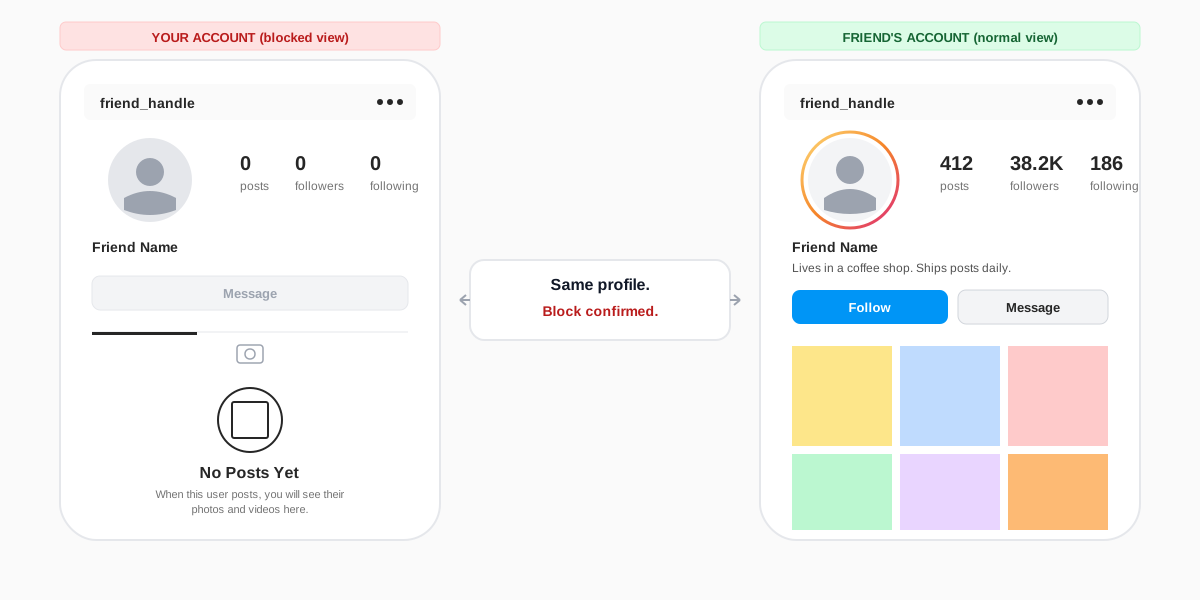
Restrict is silent and reversible. The other account stays on your follower list, can still see your posts, but their comments are hidden from other users and their messages route to a separate inbox. Block is loud and comes with a 48-hour cooldown before you can re-block. It removes the account from your follower list and hides your profile from their search results entirely.
Can third-party apps hide my Instagram followers list?
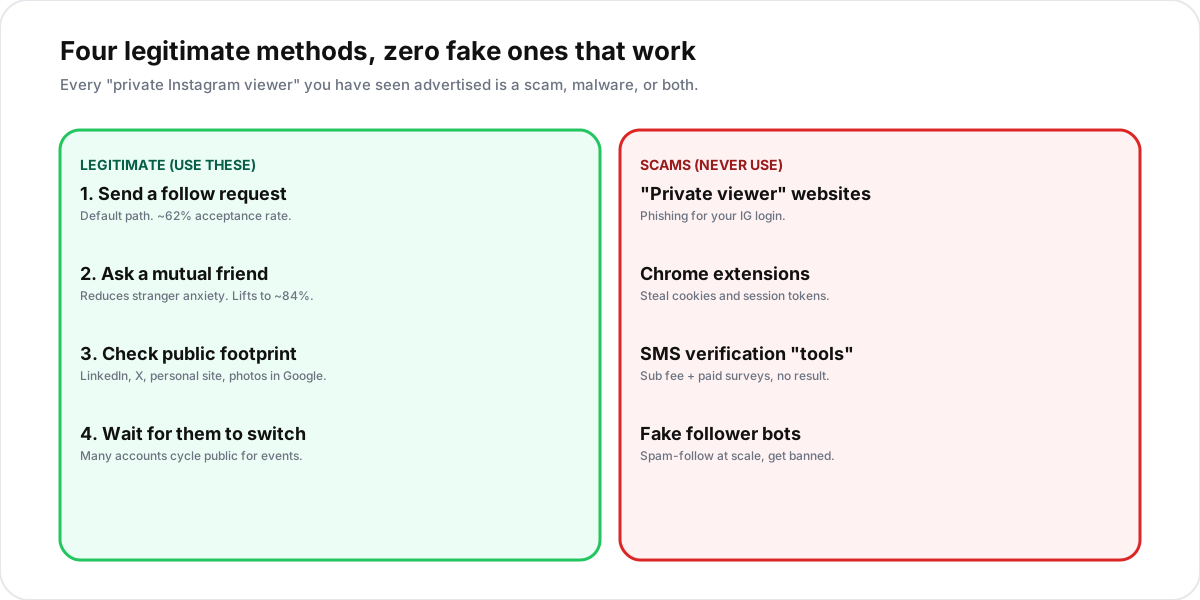
No, and most apps that claim to are scams. Instagram does not expose a privacy API that a third-party app could use to flip your follower-list visibility from outside the official app. Any tool asking for your login to "hide followers" is at minimum a terms-of-service violation and at worst a credential-harvesting trap, the same pattern we documented in our piece on cheap Instagram followers.
TL;DR
- Switch to Private to hide the full follower list from non-followers in one tap. Settings, Account privacy, Private account on.
- Remove Follower silently kicks one account off your list without blocking. No notification, no friction, no cooldown.
- Restrict when you cannot unfollow but want quiet: comments hidden, messages routed, online status hidden.
- Hide Story From picks up to 1,000 accounts who never see new stories or live videos, without removing them from your list.
- The follower count itself stays visible on every Instagram profile. Only the list of names is controllable.