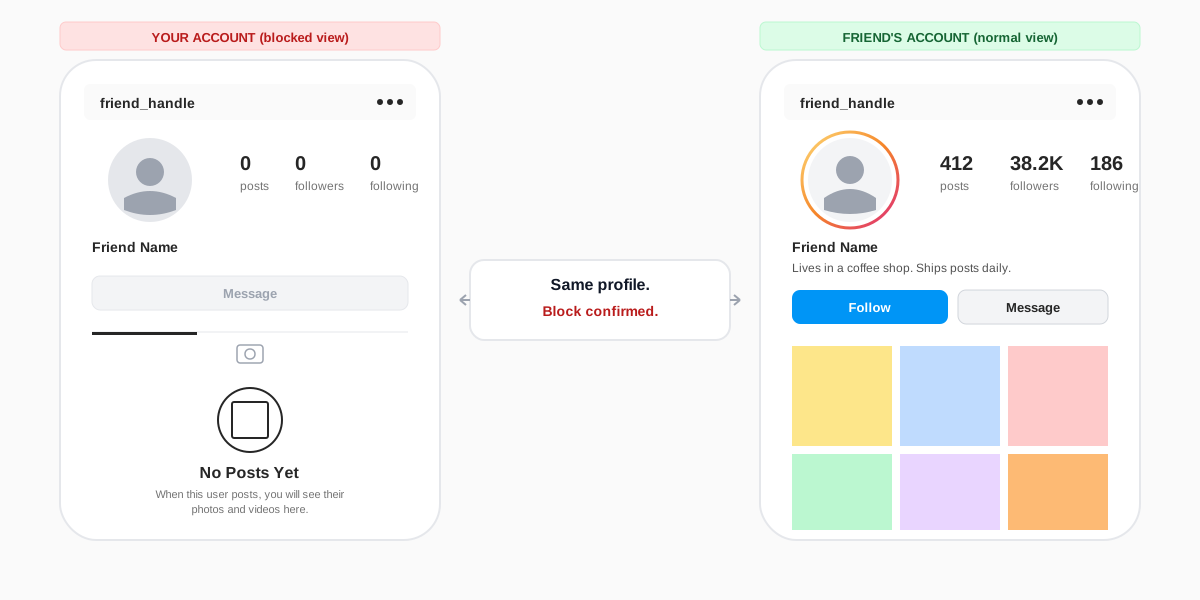
The short answer:to know if someone blocked you on Instagram in 2026, search their handle from your account and from a friend's account at the same time. If their profile loads on the friend's account but returns User not found or shows zero posts and zero followers on yours, you have been blocked. Four other signals confirm it: your DM thread now lists them as Instagram user with no profile picture, your old likes and comments on their posts disappear from your view, the @ mention fails to autocomplete their handle, and you cannot tag them in a post or story. Instagram never sends a notification when you are blocked; the absence of all five signals is the only signal.
The 5 signs someone blocked you on Instagram
Instagram blocks are designed to be quiet. The blocked account never gets a notification, no email goes out, and the public-facing profile of the person who did the blocking looks normal to everyone except you. To know if someone blocked you on Instagram, you have to read the five surfaces the platform changes for the blocked side. None of them is proof on its own; three of them together is almost always a block.
1. Their handle returns no search result on your account
Open the search tab and type their exact username. On a normal account you see the profile photo, name, and a suggested-follow tag. On a blocked account the search either returns no result at all, returns only unrelated accounts with similar handles, or shows the profile with User not found when you tap into it. The search index is the cleanest single-test surface because Instagram scrubs the blocked account from your client-side suggestions in real time.
2. Their profile loads to zero posts and no follow button
If you reach the profile through a direct URL, an old DM, or a saved bookmark, you can see the handle and display name, but the post count, follower count, and following count all read zero. The body of the profile shows a No Posts Yet message even when the account is actively posting. The Follow button is missing or replaced with a greyed-out Messagethat does nothing. Instagram's official Help Center page on blocking confirms the zero-posts treatment is intentional and applies to every blocked viewer.
3. Your DM thread shows them as "Instagram user"
Open Instagram Direct and find the chat with the person you suspect blocked you. If they did block you, their name in the thread changes from the handle to Instagram user, the profile picture goes blank or grey, and tapping the thread header opens a stripped-down details page with no bio, no posts grid, and no View profile link. Old messages stay visible on your side; new replies send without an error but never reach them. The DM signal is the most common way users first realise something has changed, because the inbox stays in the foreground of the app.
4. Your past likes and comments on their posts disappear
Scroll back to a post of theirs you remember commenting on. If you are blocked, your comment is missing from your view of the post. Your own profile's Likes tab also stops showing any of their posts you had liked, since Instagram hides the blocker's content from your account completely. The original comment is not deleted; their other followers still see it. It is hidden only from you.
5. Tagging and @ mentions fail to find them
Type @ followed by the first few letters of their handle in a new post caption, a story sticker, or a comment. On a normal account the autocomplete surfaces them in the first three suggestions. On a blocked account the autocomplete skips them entirely, even when you type the full handle character by character. The same rule applies to the people-tagging tool when you publish a photo, which is why blocks often surface during collab setup rather than in casual scrolling.
How to confirm a block in two minutes
Any single signal can have a non-block explanation. A search miss can mean a username change. An empty profile can mean the account is brand new. A vanished DM avatar can mean the account was deactivated. The fastest way to rule out the ambiguity is the friend-account test, and it takes about ninety seconds.

- Open a friend's logged-in Instagram (or your own second account, work account, or a family member's phone). Any account you can sign into that is not the one you suspect was blocked.
- Search the same handle from that account. If the profile loads with a normal post count, follower count, and posts grid, the account exists and has not been deactivated or deleted.
- Compare against your account's view. Open the same profile on your own logged-in Instagram. If yours shows zero posts, User not found, or missing from search, while the friend's account sees the profile normally, the block is confirmed.
For a faster version, log out of Instagram and visit instagram.com/their-handle in a private browser window. A logged-out viewer sees public profiles without accounts, and a profile that loads in incognito but is missing from your logged-in client is a near-certain block. The private-profile guide covers the same logged-out test for a different question, and the technique works here too.
Blocked vs deactivated vs deleted vs Restrict
Four account states look similar from the outside and get confused with a block. Telling them apart matters because the right response is different in each case: a block is personal, a deactivation is temporary, a deletion is permanent, and a Restrict is a quieter privacy lever that leaves the account visible.
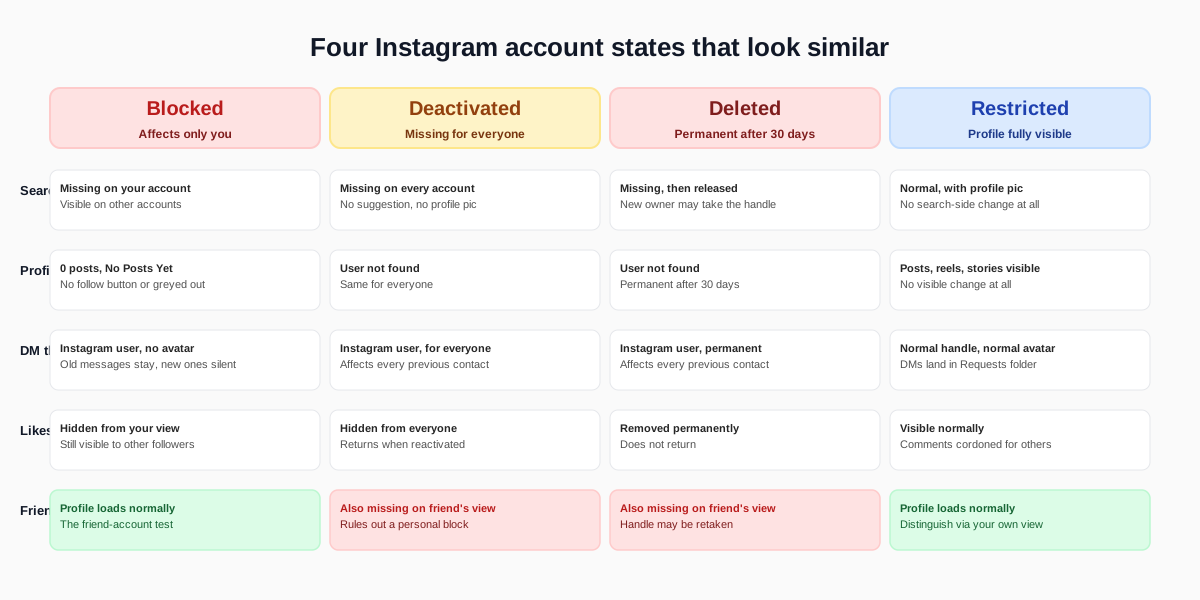
Blocked
A block is personal. The profile and content are still live for everyone except you and any other account the same user has blocked. The friend-account test is the way you distinguish a block from a deactivation: the profile shows up normally on a different account, just not yours.
Deactivated
A deactivated account is invisible to every viewer, not just you. Search returns nothing on every account, the profile URL returns User not found in incognito, and the DM thread shows Instagram user for every previous contact. Deactivation is reversible; the account can reappear any time the owner signs back in. Our deactivation and deletion walkthrough covers exactly what changes on each path.
Deleted
A deleted account looks identical to a deactivated one for the first thirty days, and then the username is released back to the pool. If you search the handle and a different account is now sitting on it, the original profile was most likely deleted, not blocked. Instagram's account deletion flow is documented in the Instagram Help Center, including the 30-day recovery window.
Restricted
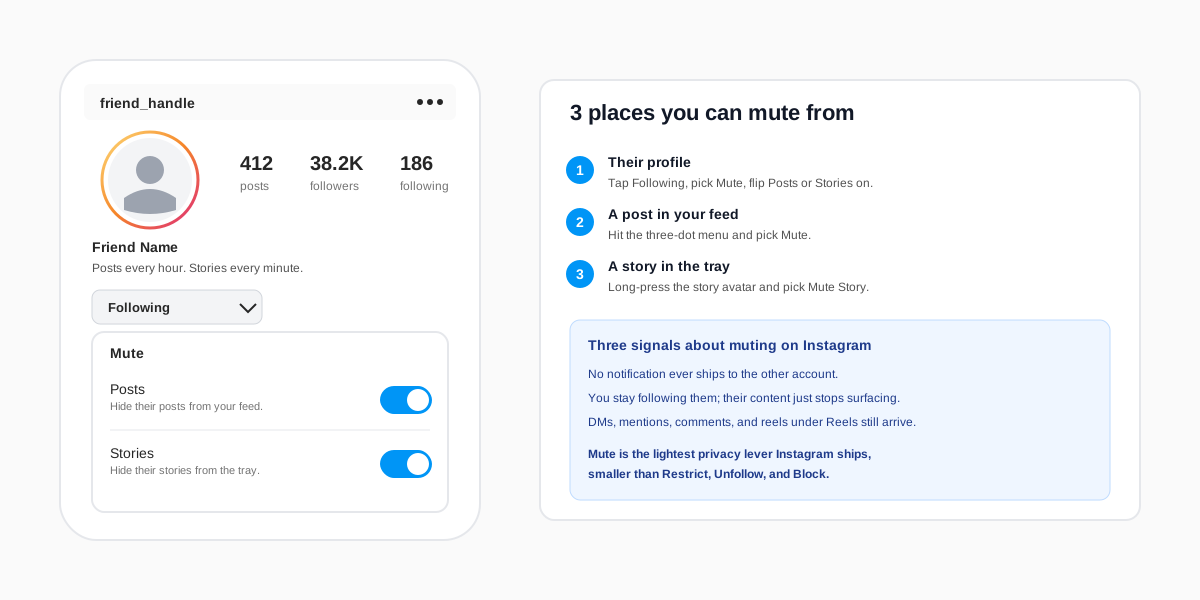
Restrict is the quietest privacy action on Instagram. A restricted viewer can still see the entire profile, every post, every story, and every old comment. The only changes are that the restricted account's comments only appear to themselves and the profile owner, their DMs land in a Requests folder, and they lose access to the activity status. If you can still see the profile and posts normally, you are not blocked; you may be muted, or restricted, or simply unfollowed. The muting guide explains how mute differs from Restrict and Block in detail.
What blocking does on Instagram in 2026
A block is the most complete privacy action Instagram offers. It cuts the connection in both directions and removes the blocked account from every algorithmic surface the blocker controls. Knowing what a block actually changes helps you read the signals more confidently.
- Search is scrubbed.The blocked account cannot find the blocker's handle in Instagram search, autocomplete, or the suggested-users carousel.
- Profiles disappear.The blocker's posts, reels, stories, highlights, and tagged content all vanish from the blocked account's view.
- DMs become one-way silence.Old chat history stays on both sides, but new messages from the blocked account never reach the blocker's inbox.
- Likes and comments rewind.The blocked account's past likes and comments on the blocker's posts are hidden from the blocked account (but stay visible to everyone else).
- Tagging is gated. The blocked account cannot tag the blocker in posts, stories, or comments, and the blocker cannot tag the blocked account either.
- Follower counts adjust. If either side was following the other, the follow is removed in both directions. A re-follow is impossible until the block is lifted.
Pew Research's 2024 social media use survey found that 47 percent of US adults have used a block or mute feature at least once on a major platform, which is why the controls have been refined into the silent, invisible-to-the-blocked state Instagram ships today.
What to do if you have been blocked
Confirming a block is the easy part. Deciding what to do next depends on the relationship and the reason. The honest playbook is short.
- Do not make a second account to contact them. Instagram's community standards treat repeated contact through alternate accounts as a form of harassment, and the alt account can be banned in addition to the original. Block evasion is one of the fastest paths to a permanent suspension.
- Reach out off-platform only if there is a real reason. A text or email is fine if you owe the person money, share a workspace, or need to settle a logistical loose end. Anything else, let the silence stand.
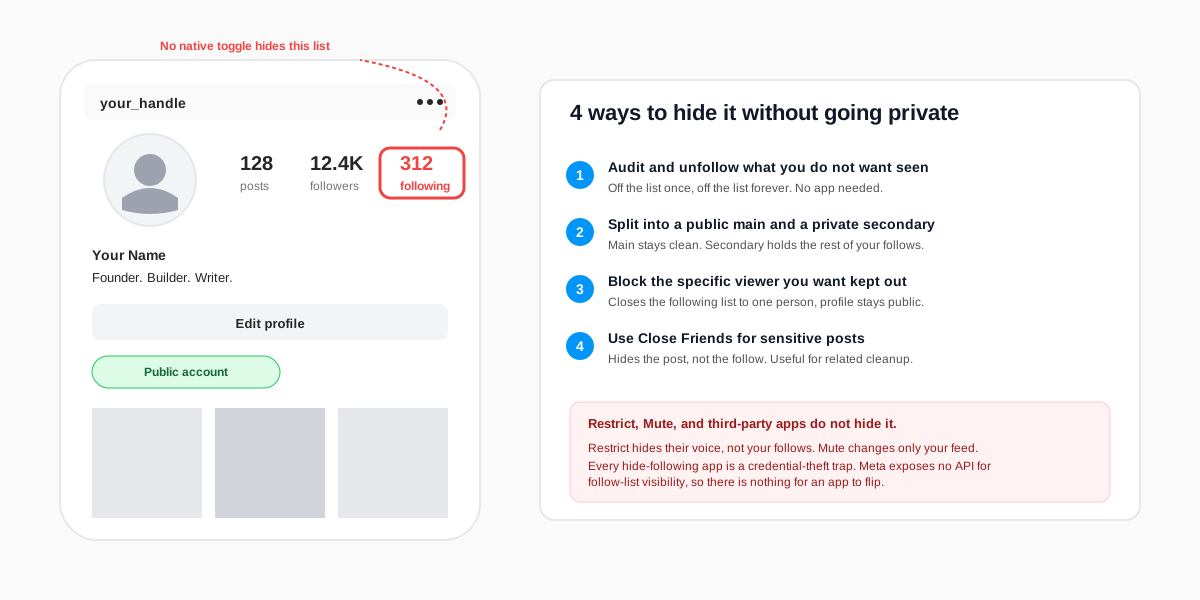
- Audit your own posts. If the block followed a specific comment, post, or DM, the lesson is worth keeping. Tighten what you ship publicly. The follower-list privacy guide covers the cleanest ways to control who can see what going forward.
- Move on. A block is the explicit equivalent of someone closing a door. Re-trying the door handle is not a recovery strategy.
FAQ
Does Instagram notify you when someone blocks you?
No. Instagram does not send a notification, email, or in-app banner when someone blocks you. The only way to know is to read the five indirect signals: search misses, an empty profile, the Instagram user label in the DM thread, vanished likes and comments, and failed @ tagging. The friend-account test confirms a suspected block in under two minutes.
Can someone see your profile after they block you?
No. Blocks are mutual. The blocker cannot see your profile, posts, stories, or comments while the block is active, and you cannot see theirs. If either side searches the other's handle, the result is missing or shows the zero-posts placeholder.
Do DMs delete when you are blocked?
No. The DM history stays in both inboxes. Your old messages with them remain visible on your side, the thread header relabels their name as Instagram user, the avatar goes blank, and any new message you send is delivered nowhere. There is no error, no failed-to-deliver flag.
How is a block different from being unfollowed?
An unfollow only removes the follow. Their profile is still fully visible, you can still find them in search, you can still DM them, and you can still tag them. A block removes every surface at once. If you can still see the profile and posts normally, the change is an unfollow or a mute, not a block.
Can you get unblocked without asking?
Only if the blocker lifts the block themselves. There is nothing the blocked account can do from inside Instagram to request a review or appeal. The block is a profile-owner setting and only the profile owner can reverse it from Settings, How others can interact with you, Blocked accounts.
Will the person know if I check whether they blocked me?
No. Searching their handle, visiting the profile URL, or checking the DM thread sends no notification on the blocker's side. The five-signal check is invisible. Even logging out and viewing the public profile in incognito leaves no trace tied to your account.
TL;DR
- To know if someone blocked you on Instagram in 2026, read the five signals: no search result, empty profile, the Instagram user DM thread, vanished likes and comments, and failed @ tagging.
- Confirm the block with the friend-account test. If a friend's logged-in Instagram can see the profile normally while yours cannot, the block is real.
- A block looks different from a deactivated, deleted, or Restricted account. Deactivation is invisible to everyone; Restrict leaves the profile fully visible.
- Blocking on Instagram is silent. There is no notification, email, or profile badge that confirms it. The absence of all five signals is the only signal.
- The right response is off-platform contact only if necessary and a hard pass on alt-account workarounds; block evasion gets accounts banned.